Share your CSRD report as a webpage you control.
When a bank or customer asks for your sustainability report, you send them a link, not a large file attachment. They open a clean, professional webpage, and you decide who can open it and what they can do there.
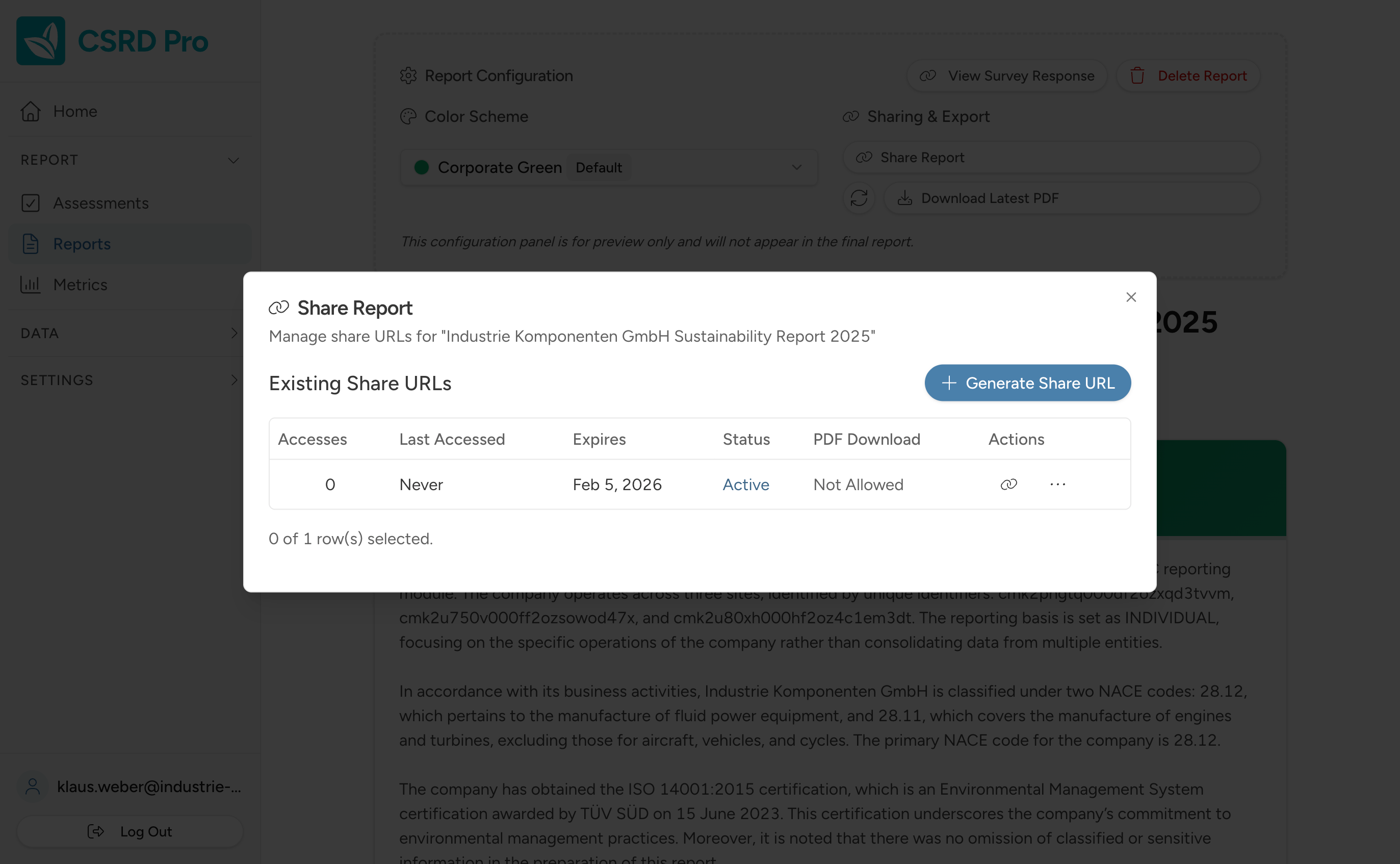
A report you share by link
The usual way to send sustainability data is a file: a spreadsheet or a PDF, emailed around as an attachment. Once it leaves your outbox, you have no say over where it travels or which version someone is reading.
With CSRD Pro, you generate a share link instead. Your recipient opens the report as a hosted webpage, always the current version, laid out properly for them to read.
A version made for each reader
You are not limited to a single report. Generate as many versions as you need, and tune each one to the people who will read it.
Adjust the written narrative and set the colour scheme, so the version a bank sees can read differently from the one you send a retail customer. Each version has its own share link and its own access settings.
You stay in control of every shared report
A sustainability report can hold commercially sensitive figures. Sharing it as a hosted link means the access controls stay with it.
-
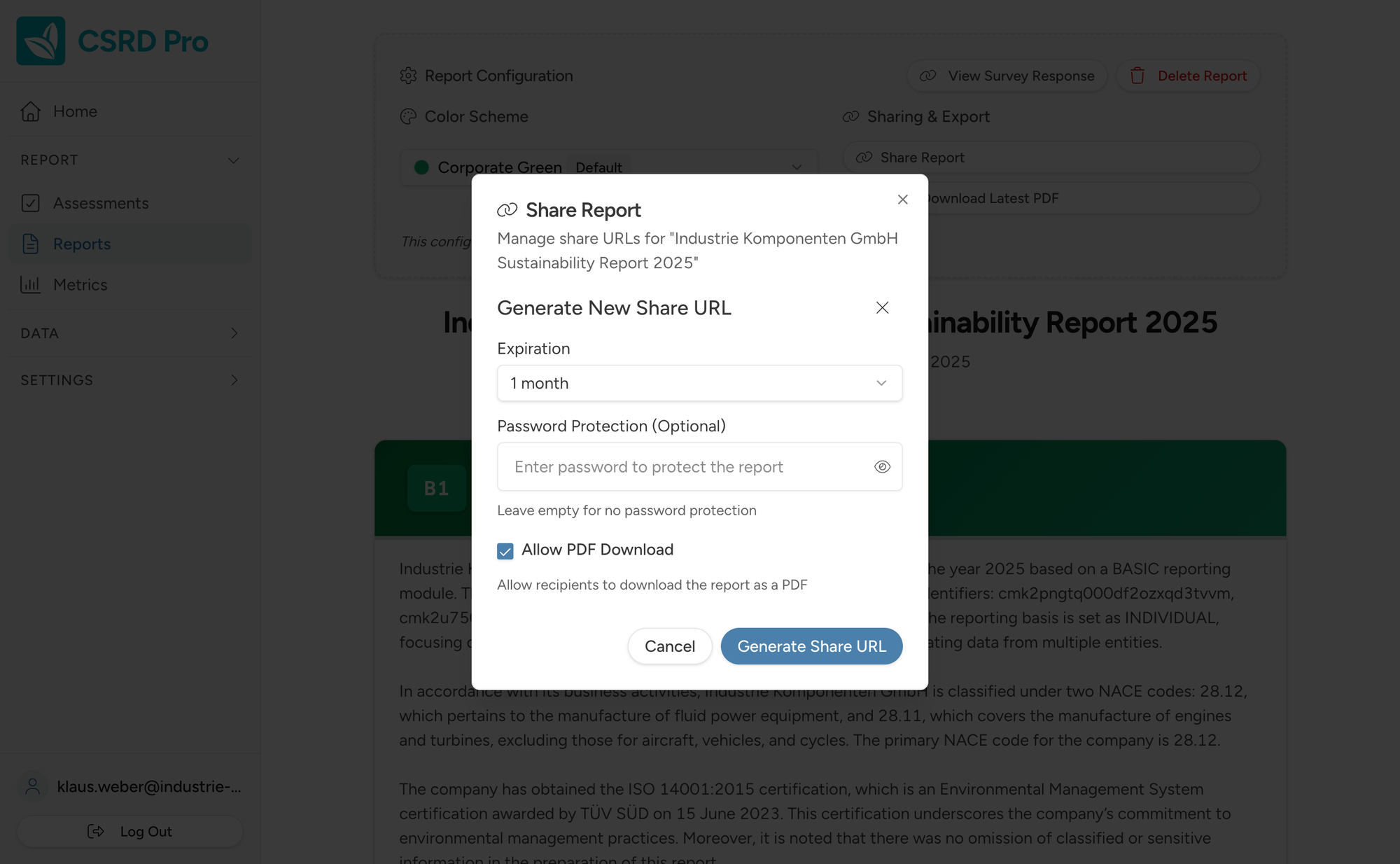
Password protection
Set a password that a viewer must enter before the report will open.
-
Expiring links
Give a share link an expiry date, so access ends when you want it to.
-
Invite specific people
Share with named recipients by email, rather than putting an open link into the world.
-
PDF download control
Decide whether an invited viewer can download a PDF copy, or only read the report online.
-
Revoke or regenerate
Switch a share link off, or refresh it, at any time after you have sent it.
See it for yourself
Walk through the full guided process and preview your report, free.
Start reporting freeNo credit card needed
Sharing is built in
The hosted report and its access controls are part of CSRD Pro, with nothing extra to buy or set up.
See pricing